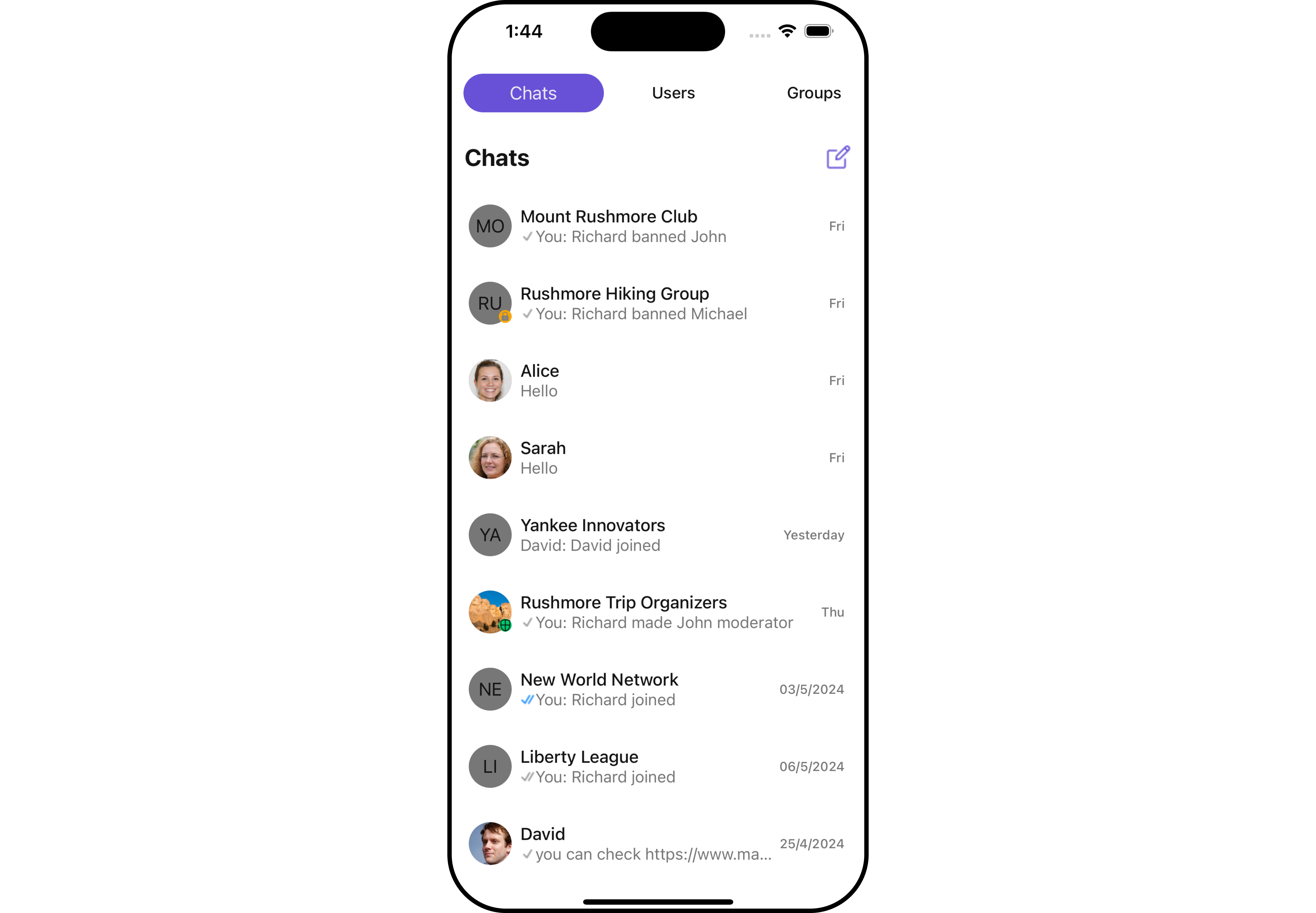
// src/examples/TabScreen.tsx
import React from "react";
import {
  NavigationContainer,
  DefaultTheme,
  useNavigation,
} from "@react-navigation/native";
import { createBottomTabNavigator } from "@react-navigation/bottom-tabs";
import { createStackNavigator, StackNavigationProp } from "@react-navigation/stack";
import {
  SafeAreaView,
  View,
  Platform,
  StyleSheet,
} from "react-native";
import {
  useTheme,
  CometChatConversations,
  CometChatGroups,
  CometChatCallLogs,
  CometChatUsers,
  CometChatUiKitConstants,
  CometChatMessageHeader,
  CometChatMessageList,
  CometChatMessageComposer,
} from "@cometchat/chat-uikit-react-native";
import { CometChat } from "@cometchat/chat-sdk-react-native";

const Stack = createStackNavigator();
const Tab = createBottomTabNavigator();

const Conversations: React.FC = () => {
  const navigation = useNavigation<StackNavigationProp<any>>();
  return (
    <CometChatConversations
      onItemPress={(conversation: CometChat.Conversation) => {
        const isUser =
          conversation.getConversationType() ===
          CometChatUiKitConstants.ConversationTypeConstants.user;

        navigation.navigate("MESSAGES_ROOT", isUser
          ? { user: conversation.getConversationWith() as CometChat.User }
          : { group: conversation.getConversationWith() as CometChat.Group }
        );
      }}
    />
  );
};

const Groups: React.FC = () => {
  const theme = useTheme();
  return (
    <SafeAreaView style={{ flex: 1, backgroundColor: theme.color.background1 }}>
      <CometChatGroups />
    </SafeAreaView>
  );
};

const Calls: React.FC = () => {
  const theme = useTheme();
  return (
    <SafeAreaView style={{ flex: 1, backgroundColor: theme.color.background1 }}>
      <CometChatCallLogs />
    </SafeAreaView>
  );
};

const Users: React.FC = () => {
  const theme = useTheme();
  const usersRequestBuilder = new CometChat.UsersRequestBuilder().setLimit(30);
  return (
    <SafeAreaView style={{ flex: 1, backgroundColor: theme.color.background1 }}>
      <CometChatUsers usersRequestBuilder={usersRequestBuilder} />
    </SafeAreaView>
  );
};

const BottomTabNavigator = () => (
  <Tab.Navigator screenOptions={{ headerShown: false }}>
    <Tab.Screen name="Chats" component={Conversations} />
    <Tab.Screen name="Calls" component={Calls} />
    <Tab.Screen name="Users" component={Users} />
    <Tab.Screen name="Groups" component={Groups} />
  </Tab.Navigator>
);

const TabScreen = () => {
  const theme = useTheme();
  const NavigationTheme = {
    ...DefaultTheme,
    colors: { ...DefaultTheme.colors, background: theme.color.background1 as string },
  };

  return (
    <NavigationContainer theme={NavigationTheme}>
      <Stack.Navigator initialRouteName="BOTTOM_TAB_NAVIGATOR" screenOptions={{ headerShown: false }}>
        <Stack.Screen name="BOTTOM_TAB_NAVIGATOR" component={BottomTabNavigator} />
        <Stack.Screen name="MESSAGES_ROOT" component={MessagesRoot as any} />
      </Stack.Navigator>
    </NavigationContainer>
  );
};

const styles = StyleSheet.create({
  flexOne: { flex: 1 },
});

export default TabScreen;